Yet another great messenger.
- TypeScript 94.3%
- CSS 2.9%
- Dockerfile 1.7%
- JavaScript 1.1%
| Filename | Latest commit message | Latest commit date |
|---|---|---|
 Azer
127214ab8f
Azer
127214ab8f
`next build` failed outright on anything newer than Node 16: Error: error:0308010C:digital envelope routines::unsupported code: 'ERR_OSSL_EVP_UNSUPPORTED' Next 11's bundled webpack hashes with MD4, which OpenSSL 3 removed, so the project has not been buildable on a supported Node release since late 2021. Next 12.3.5 builds, and npm audit drops from 44 findings (8 critical, 19 high) to 16 (1 critical, 13 high) - same tool on both manifests. axios moved off 0.26 and the types were aligned: @types/react was on 18 while react is 17. A devDependency literally named "lint" was declared and used by nothing. The install also standardised on npm. The Dockerfile already ran `yarn install` and then `npm run build` and `npm start`, and yarn 1 cannot install next 12.3.5 at all, because that security release did not publish swc binaries for every platform and yarn insists on resolving all of them. next.config.js was wrong in two ways. `strictMode: true` is not a Next option - it is called reactStrictMode - so strict mode was never on. And next-pwa takes its options when it is required, not under a `pwa` key: the old shape spread the runtimeCaching array across the root of the config, which is why Next reported unexpected root properties "0" through "21" and the service worker was never configured. /sw.js is now a real 6 kB workbox worker, served as application/javascript. Eight API routes returned the caught error's own message to the client, silenced with //@ts-expect-error. That hands out the upstream base URL and whatever else axios put in the string. They log server-side and answer with the generic message login.ts already used. Two places read `error.response.status` with no guard, and axios shapes a timeout or a refused connection with no `response` at all, so the catch block itself threw a TypeError. In _app.tsx: - The theme switch compared `theme.palette.mode` on the statically imported light theme, which is always 'light', so the icon never changed. It reads the current mode. Verified: the icon now flips and the background goes from white to rgb(48,48,48). - toggleColorMode wrote the choice to localStorage and nothing ever read it back, so the theme reset to light on every load. It is read after mount, which also keeps the server markup and the first client render identical. Verified: dark survives a reload now. - The favicon and the avatar pointed at "../logo.svg", which resolves against the current page rather than the site root, so both were broken on any nested route. public/logo.svg is served at /logo.svg. - msapplication-config pointed at an SVG; it names a browserconfig.xml, and there is no such file here. - theme-color was declared twice. Dockerfile: multi-stage on node:20-alpine (mhart/alpine-node has been unmaintained for years), running as the node user, with only .next, public and the production dependencies in the final image instead of the whole source tree and every devDependency. `COPY ./public /var/www/app/` copied the contents of public into the app root rather than into public/. Added the .dockerignore it never had - without one, `COPY . .` dragged the host's node_modules and .next over the installed ones. docker-compose lost the obsolete `version` key and passes API_URL through, which src/axios.ts needs to build its baseURL at all. Added a CI workflow running typecheck, lint and build. Typecheck, lint and build are all clean, and `next start` serves /, /login, /logo.svg and /sw.js. Not done: Next 12 is end-of-life, and the remaining audit findings all want either Next 16 or a replacement for next-pwa, which is unmaintained. That is a framework migration across the Link call sites and a different PWA plugin, not a dependency bump. |
||
| .forgejo/workflows | ||
| components | ||
| interfaces | ||
| pages | ||
| public | ||
| src | ||
| styles | ||
| .dockerignore | ||
| .eslintrc.json | ||
| .gitignore | ||
| docker-compose.yaml | ||
| Dockerfile | ||
| next-env.d.ts | ||
| next.config.js | ||
| package-lock.json | ||
| package.json | ||
| README.md | ||
| tsconfig.json | ||

:Chat!
Source code of :Chat! messenger's FrontEnd part (BackEnd is avaiable here)
Report Bug
.
Request Feature




Table Of Contents
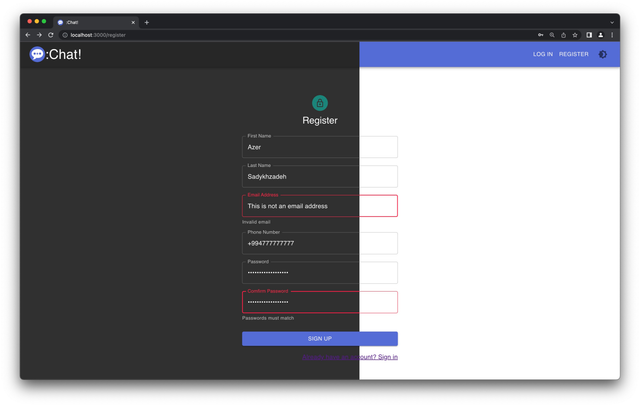
Screenshot of project
Built With
- <3 TypeScript
- Material UI (The React UI library you always wanted, ehehehe)
- Next.JS (framework based on React)
- React Hook Form — performant, flexible and extensible forms with easy-to-use validation.
- TSLint — rules to enforce consistent code style in TypeScript
Usage
First, don't forget to create .env.local file in root directory of the project.
URL=http://localhost:3000/
API_URL=http://your-api-url.com/
Then, run the development server:
yarn dev
Open http://localhost:3000 with your browser to see the result.
To build and run the project, use commands below:
yarn build && yarn start
Roadmap
See the open issues for a list of proposed features (and known issues).
Contributing
Contributions are what make the open source community such an amazing place to be learn, inspire, and create. Any contributions you make are greatly appreciated.
- If you have suggestions for adding or removing projects, feel free to open an issue to discuss it, or directly create a pull request after you edit the README.md file with necessary changes.
- Please make sure you check your spelling and grammar.
- Create individual PR for each suggestion.
- Please also read through the Code Of Conduct before posting your first idea as well.
Creating A Pull Request
- Fork the Project
- Create your Feature Branch (
git checkout -b feature/AmazingFeature) - Commit your Changes (
git commit -m 'Add some AmazingFeature') - Push to the Branch (
git push origin feature/AmazingFeature) - Open a Pull Request
Authors
- Azer Sadykhzadeh - Frondend
- Roman Tolstosheyev - Backend